


Hotspot Device Explained: Portable Internet Access Guide

Nearly 97 percent of american adults now rely on some form of internet access, yet millions still lack stable connectivity outside their homes. Whether you are working on the road, preparing for emergencies, or simply seeking convenience, understanding hotspot devices can change how you stay connected. This guide gives you practical insight into the core functions, uses, and types of hotspots so you can enjoy reliable wireless coverage almost anywhere.
Table of Contents
- What Is a Hotspot Device? Core Definition and Uses
- Types of Hotspot Devices and Network Options
- How Hotspot Devices Work for Connectivity
- Key Features and Security Considerations
- Costs, Limitations, and Alternative Solutions
Key Takeaways
| Point | Details |
|---|---|
| Hotspot Definition | Hotspot devices convert cellular signals into wireless internet, allowing multiple devices to connect through a single cellular connection. |
| Types of Hotspots | There are smartphone-based mobile hotspots and dedicated portable routers, each offering different connectivity features and performance levels. |
| Security measures | Password protection, monitoring data usage, and managing connected devices are crucial for maintaining security while using hotspot devices. |
| Limitations | Hotspot users may face data caps, variable speeds, and battery performance issues depending on factors like network strength and device type. |
What Is a Hotspot Device? Core Definition and Uses
A hotspot device transforms cellular signals into shareable wireless internet, allowing multiple devices to connect and access online services through a single cellular connection. According to the Department of Veterans Affairs, a hotspot works by utilizing the cellular signal received from nearby cell towers and sharing this signal with electronic devices through a Bluetooth connection.
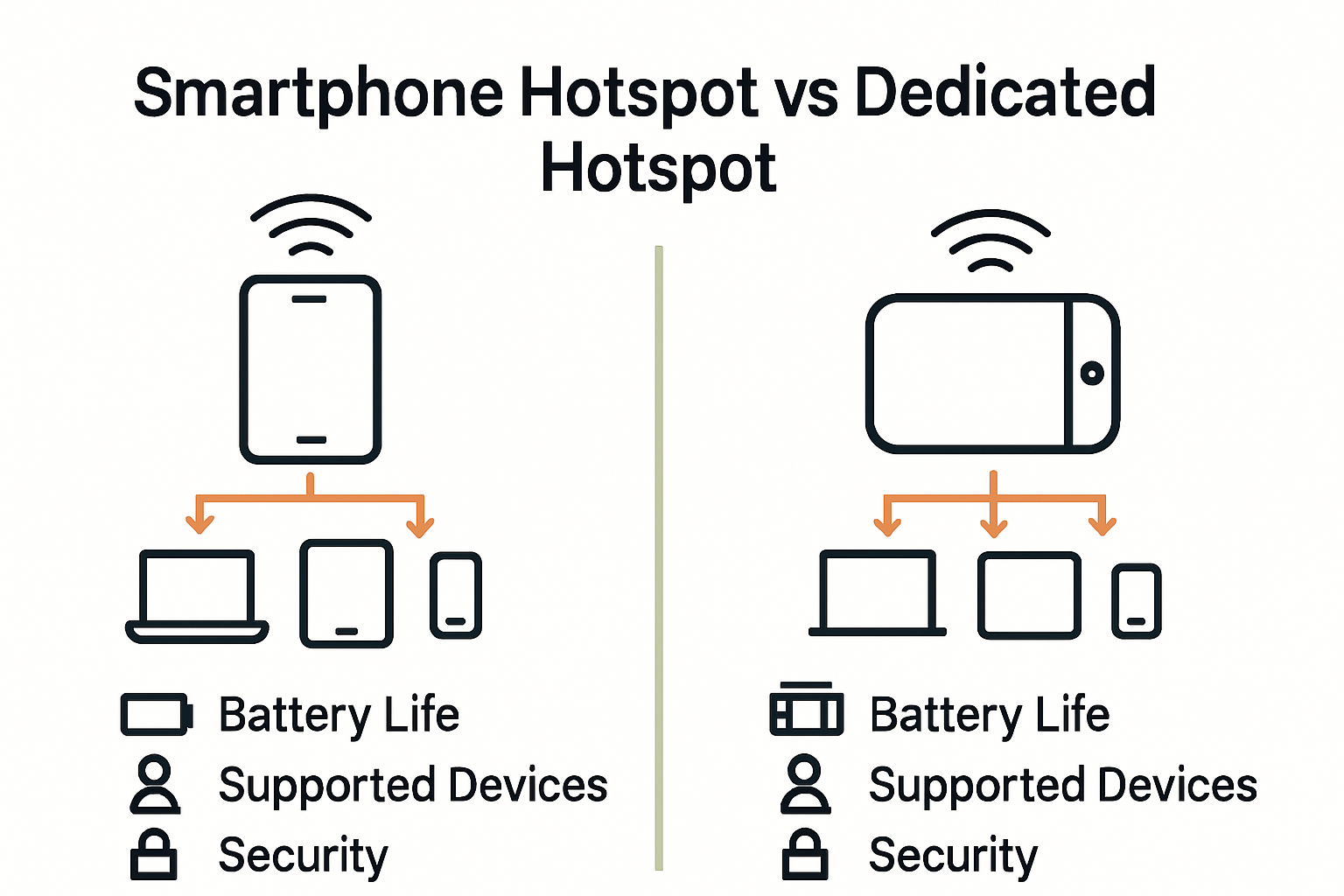
Hotspot devices come in two primary forms: smartphone-based mobile hotspots and dedicated portable wireless routers. Smartphone hotspots leverage your mobile phone’s existing cellular data plan, converting the phone into an internet access point. Dedicated hotspot devices, however, are standalone units designed specifically for creating wireless networks, often offering more robust connectivity and longer battery life compared to smartphone options.
Key uses for hotspot devices span multiple scenarios and industries:
- Remote work connectivity in areas without traditional internet infrastructure
- Travel internet access for laptops, tablets, and other wireless devices
- Backup internet solution during home network outages
- Temporary network creation for business meetings or outdoor work environments
- Emergency communication and internet access in rural or disaster-affected regions
By understanding how hotspot devices function, users can leverage these versatile tools to maintain consistent internet connectivity across diverse settings. Learn more about mobile hotspot benefits to explore how these compact devices can transform your digital experience.
Types of Hotspot Devices and Network Options
Hotspot devices offer diverse network connectivity options designed to meet various user needs. According to Mobile Citizen, these devices range from 4G LTE to advanced 5G mobile hotspots, supporting different wireless standards like Wi-Fi 5 and Wi-Fi 6 for versatile internet access across multiple devices.
Network Types represent the core differentiation among hotspot devices:
- 4G LTE Hotspots: Reliable, widespread coverage, suitable for general internet use
- 5G Hotspots: Ultra-fast speeds, low latency, ideal for high-bandwidth applications
- Dual-Band Hotspots: Support both 2.4 GHz and 5 GHz frequencies for optimized connectivity
- Enterprise-Grade Hotspots: Advanced security features, multiple device support
The technological landscape of hotspot devices continues to evolve, with manufacturers developing increasingly sophisticated solutions.
 The Calyx Institute highlights innovative features like SRS Antenna Switching and carrier aggregation, which enhance signal strength and network performance across different cellular infrastructures.
For users seeking the right hotspot, understanding these network options becomes crucial.
 Learn more about choosing the right mobile hotspot to ensure you select a device that matches your specific connectivity requirements and usage patterns.
How Hotspot Devices Work for Connectivity
Hotspot devices function as portable wireless routers, transforming cellular data signals into accessible internet connections. According to Mobile Tracker, a mobile hotspot enables Wi-Fi-enabled devices like smartphones, laptops, and tablets to connect to the internet by utilizing a mobile device’s cellular data plan, essentially turning the device into a wireless router.
Connectivity Mechanisms for hotspot devices involve several key technical processes:
- Signal Transmission: Capture cellular network signals from nearby towers
- Network Translation: Convert cellular data into shareable Wi-Fi signals
- Device Distribution: Allow multiple devices to access internet simultaneously
- Bandwidth Management: Allocate internet resources across connected devices
Tech Guides highlights that smartphone mobile hotspot features, also known as Wi-Fi sharing or tethering, work with most current Android and iOS phones. Importantly, using your phone as a hotspot can offer enhanced security compared to public Wi-Fi networks, providing users with a more controlled internet access method.
Understanding these connectivity mechanics helps users maximize their portable internet experience.
Learn more about mobile hotspot advantages to explore how these devices can revolutionize your internet access strategy.
Key Features and Security Considerations
Hotspot devices come equipped with advanced features designed to enhance user connectivity and protect digital interactions. According to Dorr Library, the Wi-Fi network created by a hotspot is encrypted, providing a generally safe internet access method, though users should always exercise caution while online.
Critical Security Considerations for hotspot users include:
- Password Protection: Secure your hotspot with a strong, unique password
- Data Usage Monitoring: Track consumption to prevent unexpected charges
- Device Limit Management: Restrict connected devices for optimal performance
- Battery Conservation: Manage energy consumption during extended use
Geeks for Geeks recommends several strategic approaches to maximize hotspot security and efficiency. Key strategies involve carefully managing connected devices, implementing robust password protocols, and maintaining awareness of data usage patterns to prevent potential security vulnerabilities and unexpected expenses.
Learn more about data security techniques to ensure comprehensive protection while using portable internet devices.
Costs, Limitations, and Alternative Solutions
Hotspot devices present both compelling advantages and notable constraints for users seeking portable internet connectivity. According to Reviews.org, mobile hotspots can technically reach speeds up to 1,000Mbps, but users typically experience slower data speeds and encounter monthly data limits or speed throttling after exceeding specific data thresholds.
Key Limitations and Considerations for hotspot users include:
- Battery Performance: Variable power consumption
- Data Restrictions: Monthly data caps and speed limitations
- Connection Stability: Dependent on cellular network strength
- Cost Implications: Potential additional charges for data overages
Electronics Hub highlights critical battery performance variations, noting that a smartphone used exclusively as a hotspot might last 3-5 hours, while dedicated hotspot devices can provide extended connectivity of over 20 hours on a single charge. The actual duration depends on multiple factors, including battery capacity, connected device count, network conditions, and specific usage patterns.
Explore comprehensive internet connectivity solutions to find the most suitable portable internet option for your specific needs and usage requirements.
Discover Reliable Portable Internet Solutions with SabertoothPro
Understanding how hotspot devices convert cellular signals into secure Wi-Fi for multiple gadgets reveals the need for dependable, high-speed internet wherever you go. If you face challenges such as limited coverage, data restrictions, or unreliable connections while working remotely or traveling, SabertoothPro offers tailored solutions to overcome these hurdles. Whether you want a versatile 4G LTE or cutting-edge 5G device, our Titan WiFi collection delivers powerful and secure connectivity designed for your lifestyle and business demands.

Step into a new era of portable internet access with SabertoothPro. Explore exclusive Titan WiFi hotspot plans that ensure uninterrupted service without hidden fees or throttling. Act now to secure your connection with trusted devices and plans built to keep you online in rural, mobile, or challenging environments. Visit us at SabertoothPro.com to shop, compare, and get expert advice tailored to your needs.
Frequently Asked Questions
What is a hotspot device?
A hotspot device transforms cellular signals into shareable wireless internet, allowing multiple devices to connect through a single cellular connection.
What are the main types of hotspot devices?
The main types of hotspot devices include smartphone-based mobile hotspots and dedicated portable wireless routers, each offering different connectivity advantages.
How does a hotspot device work for internet connectivity?
Hotspot devices function by capturing cellular network signals, converting them into Wi-Fi signals, and allowing multiple devices to access the internet simultaneously.
What are the security considerations when using a hotspot device?
Critical security considerations include password protection, data usage monitoring, managing the number of connected devices, and battery conservation to prevent unauthorized access and manage resources.