


How to secure remote networks: SMB guide for 2026

Remote network security protects data, devices, and access for distributed teams connecting from outside traditional office perimeters. With remote work expanding attack surfaces by 30%, small to medium businesses face growing threats from phishing, VPN exploits, and endpoint breaches. This guide delivers actionable strategies to build layered defenses that balance robust protection with practical usability for your remote workforce.
Table of Contents
- Introduction To Remote Network Security
- Prerequisites: What You Need Before Securing Your Remote Network
- Step 1: Implementing Zero Trust Architecture
- Step 2: Deploying Next-Generation Firewalls And Securing VPN Access
- Step 3: Integrating Endpoint Security And Employee Training
- Common Mistakes And Troubleshooting
- Expected Outcomes And Success Metrics
- Securing Your Remote Network With Sabertooth Pro
- FAQ
Key takeaways
| Point | Details |
|---|---|
| Layered defense is essential | Zero trust architecture combined with next-generation firewalls and endpoint protection creates overlapping security layers that catch threats missed by single solutions. |
| VPN configuration matters critically | Properly configured VPNs with mandatory multi-factor authentication prevent 22% of remote network breaches caused by access control failures. |
| Continuous monitoring accelerates response | AI-driven monitoring detects emerging threats 60% faster than static methods, enabling rapid incident containment. |
| Employee training reduces human risk | Comprehensive cybersecurity awareness programs decrease phishing success rates by 45% within the first year. |
| Measurable outcomes validate investments | Expect 50% breach reduction, 40% faster incident response, and 20% improved network uptime within six months of implementation. |
Introduction to remote network security
Remote network security encompasses all protective measures safeguarding devices, data transmissions, and access points when employees connect from locations outside your physical office. As your team works from home offices, coffee shops, or client sites, each connection point becomes a potential entry vector for attackers seeking to exploit vulnerabilities.
The shift to distributed workforces has fundamentally changed risk profiles for SMBs. Your network perimeter no longer ends at the office firewall. Every laptop, smartphone, and IoT device accessing company resources represents an attack surface that must be secured, monitored, and maintained.
Common threats targeting SMB remote networks include:
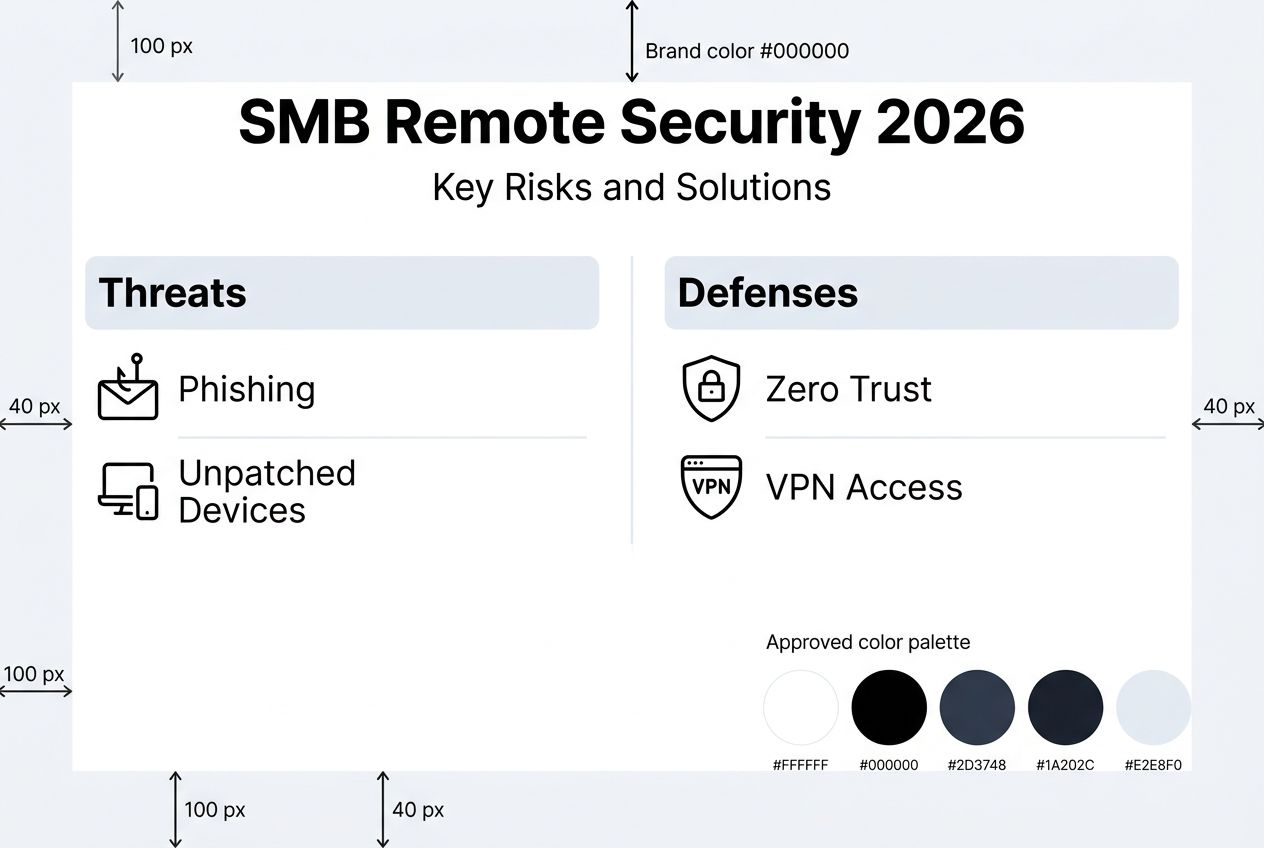
- Phishing campaigns designed to steal credentials from remote workers lacking immediate IT support
- VPN vulnerabilities exploited when configurations lack proper authentication or encryption
- Endpoint breaches through unpatched devices operating on home networks with weak security
- Insider threats from compromised credentials or malicious actors with legitimate remote access
- Man-in-the-middle attacks intercepting data transmitted over unsecured public WiFi connections
These risks intensify for SMBs because attackers view smaller organizations as softer targets with fewer resources dedicated to cybersecurity. A successful breach can cost your business an average of $200,000 in recovery expenses, regulatory fines, and lost productivity.
Prerequisites: what you need before securing your remote network
Before implementing advanced security measures, ensure your infrastructure and team possess the foundational elements necessary for effective remote network protection. Missing prerequisites create security gaps that sophisticated controls cannot compensate for later.
Essential hardware and software requirements:
- Reliable high-speed internet connectivity providing consistent bandwidth for encrypted VPN traffic and real-time security updates
- Next-generation firewall appliance or cloud-based firewall service capable of deep packet inspection and threat intelligence integration
- VPN solution explicitly supporting multi-factor authentication with modern encryption protocols like WireGuard or IKEv2
- Endpoint detection and response software deployed across all remote devices including laptops, tablets, and smartphones
- Optional access to SOC-as-a-Service provider for 24/7 threat monitoring if internal resources are limited
Team knowledge and training baseline:
- IT staff trained in zero trust principles, network segmentation strategies, and identity management systems
- Documented cybersecurity policies covering acceptable use, password requirements, and incident reporting procedures
- Employee cybersecurity awareness program addressing phishing recognition, secure WiFi practices, and social engineering tactics
| Component | Minimum Specification | Recommended for SMBs |
|---|---|---|
| Internet Speed | 100 Mbps download, 20 Mbps upload | 500 Mbps download, 100 Mbps upload |
| Firewall Throughput | 500 Mbps with inspection enabled | 1+ Gbps with full security stack |
| VPN Concurrent Users | Support for current remote headcount | 150% of current users for growth |
| EDR Coverage | All employee laptops | All endpoints including mobile devices |
| Training Frequency | Annual compliance training | Quarterly interactive modules |
Pro Tip: Test your current internet bandwidth under VPN load before deploying security solutions. Encrypt all traffic and measure throughput to identify bottlenecks that degrade user experience and tempt employees to bypass security controls.
Establishing these prerequisites creates the stable foundation needed to implement network security best practices 2026 effectively across your distributed workforce.
Step 1: implementing zero trust architecture
Zero Trust Architecture (ZTA) reduces data breach risk by strictly verifying all users and devices regardless of network location. Unlike traditional perimeter security that assumes internal traffic is trustworthy, zero trust operates on the principle of never trust, always verify.
Core zero trust concepts for SMB remote networks:
Every access request undergoes rigorous identity verification before granting permissions. Users prove their identity through multi-factor authentication combining something they know (password), something they have (hardware token or mobile device), and optionally something they are (biometric data). Devices must also authenticate, demonstrating they meet security standards like current patches and active endpoint protection.
Network segmentation divides your infrastructure into isolated zones with strictly controlled communication pathways. Remote workers access only the specific resources required for their roles, not the entire corporate network. If attackers compromise one user account, segmentation prevents lateral movement to other systems.
Least privilege access ensures users and applications receive the minimum permissions necessary to accomplish their tasks. A sales representative accessing CRM software does not need administrative rights to file servers or financial databases.
Implementation steps for zero trust deployment:
- Audit all current remote access points and identify every system, application, and data repository requiring protection.
- Deploy identity and access management (IAM) platform integrating with your existing directory services to centralize authentication.
- Enable multi-factor authentication for all remote access, starting with administrative accounts and expanding to all users.
- Implement network segmentation using VLANs or software-defined networking to isolate critical resources from general access.
- Configure least privilege access by reviewing user roles and removing unnecessary permissions from accounts and service principals.
- Establish continuous monitoring of access patterns to detect anomalies indicating compromised credentials or insider threats.
Pro Tip: Start your zero trust journey by protecting your most sensitive data first. Identify the three most critical business systems and apply strict access controls to them before expanding to lower-risk resources. This phased approach delivers immediate protection for high-value targets while you refine policies.
Integrating zero trust with robust connectivity infrastructure ensures remote workers maintain productivity while security verifies every access attempt. For businesses operating in underserved areas, 7 step rural connectivity checklist small business owners provides guidance on establishing the reliable internet foundation zero trust requires.

Additional resources on zero trust architecture guide from CISA offer detailed technical specifications for advanced implementations.
Step 2: deploying next-generation firewalls and securing VPN access
Next-generation firewalls (NGFW) surpass traditional firewalls by combining deep packet inspection, application awareness, and integrated threat intelligence to identify and block sophisticated attacks. Where legacy firewalls examine only IP addresses and ports, NGFWs analyze actual traffic content to detect malware, data exfiltration attempts, and command-and-control communications.
Key advantages of NGFW for remote network security:
| Feature | Traditional Firewall | Next-Generation Firewall |
|---|---|---|
| Inspection Depth | IP and port filtering only | Full packet content analysis |
| Application Control | Limited by port rules | Granular app-level policies |
| Threat Intelligence | Manual signature updates | Automated cloud-fed intelligence |
| User Identity | IP-based identification | Active Directory integration |
| Encrypted Traffic | Typically passes uninspected | SSL/TLS decryption and inspection |
Critical NGFW features for SMB deployment:
- Real-time threat intelligence feeds updating signatures for emerging malware variants and exploits
- Application awareness enabling policies like “block all torrent traffic” or “allow Zoom only during business hours”
- Intrusion prevention system (IPS) actively terminating attack attempts rather than just logging them
- VPN integration supporting secure remote access directly through the firewall appliance
Securing VPN access requires meticulous configuration to avoid the misconfigured VPNs responsible for 22% of remote network breaches. Follow these essential practices:
- Enforce multi-factor authentication for every VPN connection without exceptions, even for administrators
- Disable split tunneling that allows remote devices to simultaneously access your network and untrusted internet sites
- Implement certificate-based authentication in addition to credentials to verify device identity
- Configure automatic session timeouts forcing reauthentication after periods of inactivity
- Restrict VPN access to specific IP ranges or geographic regions matching your legitimate user base
- Enable detailed logging of all VPN connections including source IPs, connection duration, and data transferred
Common VPN misconfigurations to avoid:
- Leaving default credentials active on VPN appliances provides attackers easy entry points
- Granting excessive network access permissions allows compromised VPN accounts to reach all systems
- Failing to patch VPN software creates exploitable vulnerabilities that attackers actively scan for
- Permitting weak encryption protocols like PPTP that adversaries can decrypt in hours
Pro Tip: Schedule monthly VPN health checks reviewing active user accounts, access logs for unusual patterns, and comparing configured permissions against actual job requirements. Remove access immediately when employees change roles or leave the organization.
Understanding the role of vpn in remote work helps align security controls with user needs, ensuring configurations protect without creating frustrating bottlenecks that encourage workarounds.
For detailed VPN security guidelines, consult vpn security best practices from US-CERT covering both technical configurations and policy recommendations.
Step 3: integrating endpoint security and employee training
Endpoint Detection and Response (EDR) software provides continuous monitoring of laptops, desktops, mobile devices, and tablets connecting to your remote network. Unlike traditional antivirus that relies on known malware signatures, EDR employs behavioral analysis to identify suspicious activities like unusual file encryption patterns or unauthorized credential access attempts.
Deploy EDR across all remote endpoints:
- Install EDR agents on every device accessing corporate resources, including employee-owned smartphones under BYOD policies
- Configure automatic threat response actions like isolating infected devices from the network while alerting security teams
- Enable cloud-based management consoles providing visibility into endpoint security status regardless of device location
- Integrate EDR alerts with your incident response procedures to ensure rapid containment when threats are detected
Establish routine update and patch management:
Vulnerabilities in operating systems and applications create entry points for attackers. Failing to update remote network devices promptly leads to avoidable breaches when known exploits remain unpatched.
- Deploy patch management tools automatically distributing updates during maintenance windows
- Prioritize critical security patches requiring installation within 72 hours of release
- Test patches in controlled environments before mass deployment to avoid introducing stability issues
- Maintain inventory of all remote devices tracking current patch levels and identifying non-compliant endpoints
Implement comprehensive employee cybersecurity training:
Human error remains the weakest link in remote network security. Phishing emails trick employees into revealing credentials or downloading malware despite technical controls. Effective training transforms your workforce into an active defense layer.
- Conduct simulated phishing campaigns quarterly to identify employees requiring additional training
- Provide interactive modules covering password hygiene, recognizing social engineering tactics, and reporting suspicious activities
- Deliver micro-training through brief monthly security tips addressing current threat trends
- Reward employees who report phishing attempts or potential security incidents to encourage vigilant behavior
- Make training relevant by using examples from actual attacks targeting your industry
Training effectiveness directly correlates with engagement quality. Generic compliance videos produce minimal behavior change compared to interactive scenarios demonstrating real consequences of security failures.
Integrating endpoint protection with comprehensive training creates defense in depth where technology and human awareness reinforce each other. For structured implementation guidance, review the network security checklist sme cis controls aligning endpoint security with industry-standard frameworks.
Common mistakes and troubleshooting
Even well-intentioned security implementations fail when SMBs make predictable errors undermining their protective measures. Recognizing these pitfalls enables proactive avoidance and faster remediation when issues surface.
Frequent remote network security mistakes:
- Deploying VPN without enforcing multi-factor authentication leaves credential theft as a single point of failure
- Delaying patch application beyond vendor-recommended timelines creates windows of vulnerability attackers actively exploit
- Installing endpoint detection tools but failing to monitor alerts renders the investment ineffective
- Granting excessive VPN access permissions violating least privilege principles and enabling lateral movement
- Neglecting to revoke access for departed employees or contractors who retain valid credentials
- Using outdated encryption protocols on VPN connections that modern attack tools can compromise
- Skipping network segmentation and allowing VPN users unrestricted access to all internal resources
Risks associated with these errors and detection methods:
VPN configurations lacking MFA enable attackers who obtain credentials through phishing or data breaches to access your network without additional verification. Monitor VPN logs for unusual connection patterns like logins from unexpected geographic locations or outside normal business hours.
Delayed patching creates exploitable gaps that automated scanning tools identify within hours of public vulnerability disclosure. Track patch compliance through management dashboards showing which devices lack critical updates.
Underutilized EDR happens when security teams lack processes for reviewing and responding to alerts. The average EDR deployment generates dozens of daily alerts requiring triage to separate genuine threats from false positives.
Practical solutions and remediation steps:
- Enforce mandatory MFA through policy controls that prevent VPN authentication without second-factor verification
- Automate patch deployment using management tools scheduling updates during low-usage periods
- Integrate endpoint security alerts with ticketing systems ensuring all detections receive documented responses
- Conduct quarterly access reviews removing unnecessary permissions and deactivating unused accounts
- Implement automated offboarding procedures immediately disabling access when HR processes terminations
Pro Tip: Create a patch compliance dashboard tracking update status across all remote endpoints. Color-code devices by days since last patch: green for current, yellow for 7+ days, red for 14+ days. This visualization immediately highlights compliance gaps requiring attention.
For comprehensive security frameworks preventing common mistakes, explore 7 best practices for rural network security success and implement what is remote monitoring cut downtime 2026 to catch issues before they escalate.
Additional technical guidance on importance of patch management from US-CERT details vulnerability timelines and prioritization frameworks.
Expected outcomes and success metrics
Implementing comprehensive remote network security produces measurable improvements validating your investment and guiding continuous enhancement. Establish baseline metrics before deployment to accurately track progress.
Anticipated performance improvements and timelines:
| Metric | Baseline (Typical SMB) | 6-Month Target | 12-Month Target |
|---|---|---|---|
| Data breach incidents | 3-5 annually | 50% reduction (1-2 annually) | 75% reduction |
| Mean time to detect threats | 200+ days | 14-30 days | Under 7 days |
| Mean time to respond | 24-48 hours | 4-8 hours | Under 2 hours |
| Unauthorized access attempts | Baseline measurement | 90%+ blocked by MFA | 95%+ blocked |
| Phishing success rate | 15-20% of employees | Under 10% | Under 5% |
| Network uptime | 95-97% | 98-99% | 99%+ |
| Patch compliance | 60-70% within 30 days | 85%+ within 14 days | 95%+ within 7 days |
Key performance indicators demonstrating security effectiveness:
Breach reduction of 50% within six months results from layered defenses catching threats that single controls miss. Zero trust architecture prevents lateral movement even when perimeter defenses are bypassed. Next-generation firewalls block 85% of malware before it reaches endpoints.
Incident response acceleration by 40% stems from continuous monitoring identifying threats in real-time rather than during quarterly audits. SOC-as-a-Service providers or integrated security platforms correlate events across multiple systems, revealing attack patterns invisible to isolated tools.
Unauthorized access prevention exceeding 90% follows multi-factor authentication deployment. Attackers possessing stolen credentials cannot complete authentication without the second factor, turning credential theft from guaranteed compromise into failed attempt.
Phishing success reduction of 45% after comprehensive employee training reflects improved threat recognition and reporting. Employees who complete interactive training modules demonstrate 3x better phishing email identification compared to those receiving only compliance videos.
Network performance improvement of 20%+ uptime results from proactive threat detection preventing disruptive attacks. Ransomware infections that would cause days of downtime are caught and isolated before spreading.
These metrics provide concrete evidence of security program effectiveness while identifying areas requiring additional investment or adjustment. Quarterly reviews comparing actual performance against targets enable data-driven security decisions.
Securing your remote network with Sabertooth Pro
Implementing the strategies outlined above requires reliable, high-performance connectivity infrastructure supporting encrypted VPN traffic, real-time security updates, and continuous monitoring. Sabertooth Pro delivers the network foundation your remote security controls depend on.
Our wireless internet provider solutions ensure consistent bandwidth for remote workers regardless of location, eliminating connectivity gaps that force employees onto unsecured public WiFi. High-speed wireless connections support resource-intensive security protocols without degrading user experience.

For businesses integrating IoT devices into remote operations, our iot solutions provide secure connectivity management at scale. Connect sensors, cameras, and smart devices with enterprise-grade security controls protecting against IoT-specific threats.
Flexible iot data plan options scale with your remote workforce growth, ensuring security infrastructure expands seamlessly as your business adds locations and users. Combine robust connectivity with the security frameworks detailed throughout this guide to build resilient remote network protection.
FAQ
What is zero trust architecture and why is it critical for remote network security?
Zero trust means never assuming any user or device is trustworthy based solely on network location. Every access request undergoes strict verification regardless of whether it originates inside or outside your perimeter. This approach reduces breach risk by 50% by eliminating implicit trust that attackers exploit through compromised credentials.
How can small businesses effectively secure VPN access for remote employees?
Deploy VPN solutions explicitly supporting multi-factor authentication and enforce it universally without exceptions. Configure certificate-based device authentication in addition to user credentials. Conduct monthly audits reviewing VPN access logs for unusual patterns and immediately removing unnecessary permissions.
What are the benefits of continuous network monitoring for remote networks?
AI-driven continuous monitoring detects emerging threats 60% faster than periodic scans by analyzing real-time traffic patterns and user behaviors. Faster detection enables rapid incident response, containing breaches before attackers exfiltrate data or deploy ransomware. Automated correlation across multiple security tools reveals sophisticated attack campaigns invisible to isolated systems.
How often should employees receive cybersecurity training?
Conduct comprehensive interactive training quarterly rather than relying on annual compliance sessions. Supplement formal training with monthly security awareness tips addressing current threat trends. Run simulated phishing campaigns every 90 days to measure retention and identify employees requiring additional support.
What is the most common mistake SMBs make when securing remote networks?
Deploying VPN connections without mandatory multi-factor authentication represents the single most dangerous error. Twenty-two percent of SMB remote network breaches result from attackers using stolen credentials to access improperly configured VPNs. Always enforce MFA on every remote access method without exception.