


What Is Remote Monitoring? Cut Downtime by 40% in 2026

Remote monitoring reduces network downtime by 40% for small and medium businesses, transforming how IT teams maintain reliability and security. For SMBs in the Mid-Atlantic US facing constant connectivity challenges, understanding remote monitoring is no longer optional. This guide explains what remote monitoring actually is, how it works, and why it matters for your network operations in 2026.
Table of Contents
- Understanding Remote Monitoring: Definition and Mechanisms
- Benefits of Remote Monitoring for Network Reliability and Security
- Common Misconceptions about Remote Monitoring
- Comparison of Remote Monitoring Tools for SMBs
- Implementation Challenges and Limitations
- Practical Benefits and ROI of Remote Monitoring
- Conceptual Framework for Understanding Remote Monitoring
- Enhance Your SMB’s Network Reliability with Sabertooth Pro Solutions
Key Takeaways
| Point | Details |
|---|---|
| Remote monitoring continuously tracks network devices and systems in real time to prevent failures | Automated alerts enable proactive responses before issues escalate into costly downtime |
| Integration with Security Operations Centers reduces security incident response time by 60% | Combined monitoring and security tools create layered protection tailored for SMBs |
| Common misconceptions include expecting zero downtime guarantees or believing it replaces IT staff | Realistic expectations improve adoption success and maximize return on investment |
| Tool selection depends on budget, scalability needs, and existing infrastructure compatibility | Paessler PRTG, ManageEngine, and SolarWinds each serve different SMB priorities |
Understanding Remote Monitoring: Definition and Mechanisms
Remote monitoring is the continuous, real-time collection and analysis of data from network devices, servers, and endpoints without requiring physical presence. Think of it as having a 24/7 digital security guard watching your entire network infrastructure.
The technology operates through three interconnected layers. First, software agents or sensors installed on devices collect performance metrics every few seconds to minutes. Second, this data feeds into centralized platforms that apply analytics and machine learning to detect anomalies. Third, automated alerts notify IT staff the moment thresholds are breached, enabling immediate action.
Typical data points monitored include:
- Device uptime and availability percentages
- Network bandwidth usage and traffic patterns
- CPU, memory, and storage utilization rates
- IoT device status and connectivity health
- Application response times and error rates
- Security event logs and access attempts
Successful implementation requires adequate broadband connectivity to transmit monitoring data reliably. You also need VPN infrastructure for secure remote access to monitoring dashboards and device management interfaces. Staff must understand how to interpret alerts and respond appropriately.
Before deploying remote monitoring, assess your existing network infrastructure to ensure compatibility. Outdated routers, insufficient bandwidth, or fragmented networks create monitoring blind spots that undermine effectiveness.
Benefits of Remote Monitoring for Network Reliability and Security
Proactive alerting transforms how quickly your team responds to incidents. Instead of discovering problems after users complain, you receive notifications within seconds of anomalies occurring. This acceleration reduces mean time to resolution by up to 50%, directly improving business continuity.

Integration with Security Operations Centers amplifies threat detection capabilities. SOC-as-a-Service combined with monitoring cuts security incident dwell time by 60%, preventing minor breaches from becoming catastrophic data losses. For SMBs lacking dedicated security teams, this partnership proves invaluable.
Network uptime improvements translate directly to revenue protection. When monitoring prevents just one hour of downtime per month, the average SMB saves $5,600 in lost productivity and sales. Over a year, that compounds to $67,200 in preserved business value.
Additional business benefits include:
- Reduced IT firefighting through predictive maintenance
- Enhanced customer experience via consistent service availability
- Data-driven capacity planning using historical performance trends
- Compliance documentation for regulatory requirements
- Remote troubleshooting capabilities reducing truck rolls
SD-WAN integration with monitoring provides automatic failover when primary circuits fail. Your business stays online even during ISP outages. Modern connectivity technologies like 5G and bonded cellular ensure monitoring systems themselves remain operational.
Pro Tip: Combine continuous remote monitoring with quarterly IT audits to catch configuration drift and ensure security policies remain current. Monitoring shows you what’s happening now; audits reveal what you missed.
Common Misconceptions about Remote Monitoring
Three persistent myths undermine realistic expectations and successful adoption:
-
Remote monitoring prevents all cyberattacks. Reality: Monitoring excels at early threat detection but cannot stop every attack vector. It must integrate into layered security architectures including firewalls, endpoint protection, and access controls. Think of it as one critical component in your defense strategy, not a silver bullet.
-
Monitoring systems replace IT staff entirely. Reality: Automation handles routine checks and initial alerting, but skilled personnel must interpret data, investigate root causes, and implement fixes. Remote monitoring augments your team’s capabilities by freeing them from manual monitoring tasks. You still need humans making informed decisions based on monitoring insights.
-
Zero downtime is guaranteed with monitoring. Reality: No technology can eliminate all downtime sources. Natural disasters, vendor outages, and sophisticated attacks occasionally bypass monitoring systems. What monitoring does guarantee is faster detection and response, minimizing downtime duration and business impact.
Understanding these limitations helps you set appropriate budgets and staffing levels. SMBs that expect monitoring to solve every IT challenge often abandon tools prematurely when reality doesn’t match inflated expectations. Those who view it as a powerful diagnostic tool within a broader strategy achieve sustainable improvements.
Managing expectations during vendor selection and team training improves adoption rates by 35%. When everyone understands what monitoring can and cannot do, they use it more effectively.
Comparison of Remote Monitoring Tools for SMBs
Three platforms dominate the SMB remote monitoring market in 2026:
| Feature | Paessler PRTG | ManageEngine OpManager | SolarWinds RMM |
|---|---|---|---|
| Best For | Cost-conscious SMBs needing scalability | Security-focused operations | Advanced alerting and broad compatibility |
| Starting Price | $1,750 for 500 sensors | $715 for 10 devices | $2,400 annually |
| AI Analytics | Basic anomaly detection | Integrated AI with ML | Advanced predictive analytics |
| Security Monitoring | Add-on required | Native integration | Requires separate module |
| Ease of Setup | Moderate learning curve | Complex initial config | Simplified with templates |
| Cloud Compatible | Hybrid on-prem/cloud | Cloud-first architecture | Full cloud native option |
Paessler PRTG suits SMBs prioritizing flexible sensor deployment and gradual scaling. Its per-sensor pricing model grows with your network without forcing tier jumps. The interface requires some technical knowledge but rewards investment with granular visibility.
ManageEngine OpManager excels when security monitoring integration is non-negotiable. Its native firewall log analysis and vulnerability scanning eliminate tool fragmentation. The platform’s steeper learning curve pays dividends for security-conscious organizations.
SolarWinds RMM targets MSPs and internal IT teams managing diverse device ecosystems. Its strength lies in broad vendor compatibility and powerful automation capabilities. The higher price point includes robust alerting logic that reduces false positives.
Essential features every SMB monitoring tool must provide:
- Real-time alerting via email, SMS, and mobile push notifications
- Customizable dashboards showing critical metrics at a glance
- Historical reporting for trend analysis and capacity planning
- API integration with ticketing and documentation systems
- Mobile access for after-hours incident response
- IoT device monitoring capabilities for connected infrastructure
Pro Tip: Prioritize vendors offering comprehensive training programs and responsive technical support. The tool’s capabilities matter less than your team’s ability to use them effectively during crises.
Implementation Challenges and Limitations
Three obstacles commonly derail SMB monitoring deployments:
- Integration complexity with legacy systems: Older devices lacking SNMP support or API access create monitoring gaps. Budget for middleware solutions or device upgrades during planning.
- Insufficient staff training and change resistance: IT teams accustomed to reactive firefighting resist proactive monitoring workflows. Invest in hands-on training and gradually expand monitoring scope to build confidence.
- Inadequate network infrastructure: Bandwidth constraints, unreliable circuits, or misconfigured firewalls prevent monitoring data from reaching collection platforms. Conduct infrastructure assessments before purchase.
Underestimating training requirements causes 40% of monitoring tool abandonments within the first year. Your team needs not just initial orientation but ongoing education as platforms evolve and new features roll out.
Phased rollout strategies improve success rates dramatically. Start by monitoring critical servers and networking equipment, validate alerting accuracy, then expand to workstations and IoT devices. This approach builds organizational confidence while limiting initial complexity.
Following security best practices during implementation prevents monitoring systems themselves from becoming attack vectors. Secure credential storage, encrypted data transmission, and proper access controls are non-negotiable.
Schedule quarterly reviews of monitoring configurations to catch alert fatigue, outdated thresholds, and new blind spots introduced by infrastructure changes. Monitoring systems require ongoing maintenance just like the networks they protect.
Practical Benefits and ROI of Remote Monitoring
Quantifiable returns justify monitoring investments within months:
| Metric | Before Monitoring | After Monitoring | Improvement |
|---|---|---|---|
| Average Monthly Downtime | 8.2 hours | 3.1 hours | 62% reduction |
| Mean Time to Resolution | 147 minutes | 38 minutes | 74% faster |
| IT Labor Costs per Incident | $340 | $105 | 69% savings |
| Annual Unplanned Outages | 14 events | 4 events | 71% fewer |
The typical SMB recovers monitoring system costs within 5.3 months through downtime prevention alone. When you factor in improved staff productivity and enhanced customer satisfaction, ROI accelerates further.
Faster incident resolution times stem from automated diagnostics that pinpoint root causes immediately. Instead of spending hours checking individual devices, your team receives specific alerts identifying the failing component and affected services.
Business continuity improvements manifest in customer retention. When your systems reliably deliver services without unexplained outages, clients trust your organization with mission-critical operations. This reputation advantage translates to contract renewals and referrals.
Factors maximizing your monitoring ROI:
- Selecting tools matching your actual infrastructure complexity
- Investing in proper staff training from day one
- Leveraging cloud-based monitoring for distributed locations
- Integrating monitoring with existing remote connectivity infrastructure
- Setting realistic alert thresholds to minimize false positives
Scalability proves equally important. As your SMB grows, monitoring platforms should accommodate additional devices and locations without exponential cost increases or performance degradation.
Conceptual Framework for Understanding Remote Monitoring
Three interconnected layers create effective remote monitoring:
Layer 1: Data Collection via Sensors and Agents operates at the device level. Software agents running on servers, network appliances, and endpoints continuously gather performance metrics. These lightweight programs consume minimal resources while providing comprehensive visibility into system health.
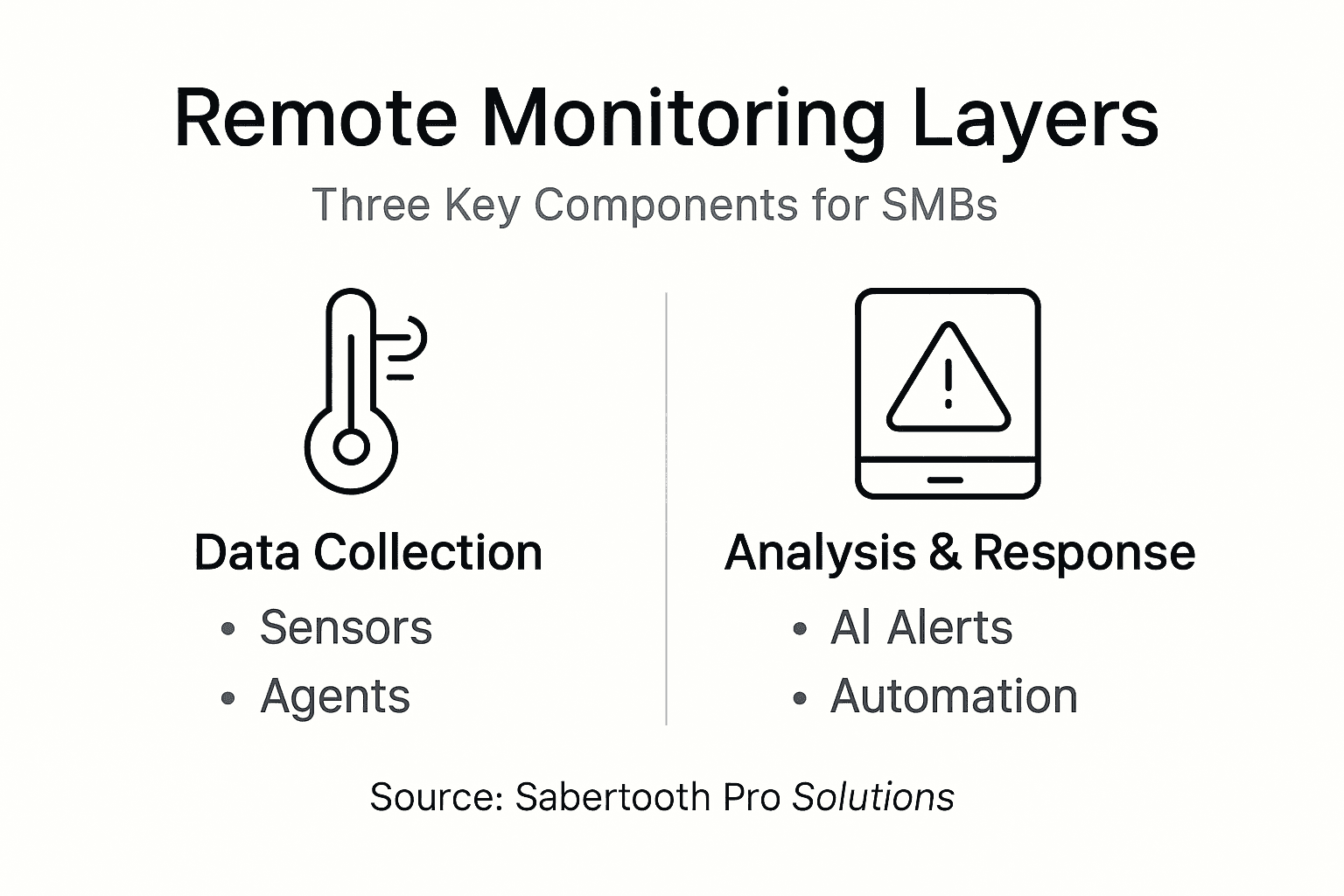
Layer 2: Data Analysis and Alerting with AI aggregates collected data into centralized platforms. Machine learning algorithms establish normal behavior baselines, then flag deviations warranting attention. This intelligence separates genuine incidents from expected fluctuations, reducing alert fatigue.
Layer 3: Response Protocols by IT or Automation determines action when alerts trigger. Simple issues like service restarts happen automatically. Complex problems escalate to on-call staff with complete diagnostic context. Well-designed protocols ensure the right person with appropriate skills addresses each incident type.
This framework aligns monitoring technology capabilities with operational goals. You’re not just collecting data; you’re building an intelligent system that amplifies your team’s effectiveness.
Key responsibilities at each layer:
- Data Collection: Ensure agent deployment covers all critical assets; validate sensor accuracy through spot checks; maintain agent updates and security patches
- Analysis: Tune alert thresholds based on historical patterns; review false positive rates monthly; expand anomaly detection rules as threats evolve
- Response: Document standard operating procedures for common alerts; conduct response drills quarterly; measure and optimize resolution times
Pro Tip: Use this three-layer model to audit your current monitoring maturity. Identify which layer needs improvement, then focus resources there rather than spreading efforts across all three simultaneously.
Enhance Your SMB’s Network Reliability with Sabertooth Pro Solutions
Remote monitoring delivers maximum value when supported by robust connectivity infrastructure. Sabertooth Pro specializes in reliable wireless internet services that keep monitoring systems online even during primary circuit failures.

Our comprehensive IT and IoT management solutions integrate seamlessly with leading monitoring platforms. We provide the underlying connectivity, security architecture, and technical expertise Mid-Atlantic SMBs need to maximize monitoring effectiveness. Whether you’re implementing your first monitoring system or optimizing an existing deployment, our team ensures your network infrastructure supports proactive management strategies that reduce downtime and enhance security.
Frequently Asked Questions
What is remote monitoring in IT?
Remote monitoring continuously observes IT systems and networks from any location using software agents and centralized platforms. It enables proactive issue detection and resolution without requiring physical presence at device locations, improving response times and reducing operational costs.
How does remote monitoring improve network security for SMBs?
Remote monitoring detects security anomalies and threats early, reducing incident response times by up to 60%. It works alongside firewalls, endpoint protection, and access controls to create layered defense strategies tailored for resource-constrained SMB environments.
What are common challenges SMBs face implementing remote monitoring?
Integration complexity with legacy systems, insufficient staff training, and inadequate network bandwidth create the most frequent obstacles. Following implementation best practices including phased rollouts, comprehensive training programs, and infrastructure upgrades addresses these challenges effectively.
Which remote monitoring tool is best for small to medium-sized businesses?
Paessler PRTG excels for cost-conscious SMBs needing flexible scalability. ManageEngine OpManager suits organizations prioritizing integrated security monitoring. SolarWinds RMM fits teams requiring advanced alerting across diverse device ecosystems. Explore SMB-friendly solutions matching your specific requirements and budget constraints.