


Optimize small business Wi-Fi for reliable 2026 connectivity

Unreliable Wi-Fi cripples productivity, frustrates customers, and costs your small business revenue daily. Slow connections during peak hours create operational bottlenecks, while dead zones damage customer experience and employee morale. This guide walks you through proven methods to assess, plan, implement, and verify Wi-Fi optimizations that transform network performance and support business growth across your Mid-Atlantic operation.
Table of Contents
- Assessing Your Current Wi-Fi Setup And Business Needs
- Planning Your Wi-Fi Infrastructure For Optimal Coverage And Performance
- Implementing Advanced Features And Managing Traffic Effectively
- Verifying Network Performance And Maintaining Reliability
- Optimize Your Small Business Wi-Fi With Expert Support
- Frequently Asked Questions
Key takeaways
| Point | Details |
|---|---|
| Strategic placement and frequency management | Proper access point positioning mounted high and centered eliminates obstructions and dramatically improves coverage without new equipment. |
| Quality of Service prioritization | Enabling WMM/QoS ensures voice and video traffic flows smoothly even during large file transfers, protecting critical business communications. |
| Centralized management reduces costs | Unified control platforms cut IT overhead by 40% by simplifying troubleshooting and device administration from a single interface. |
| Mesh networks eliminate dead zones | Strategically overlapping access points create seamless roaming coverage that supports mobile devices throughout your entire facility. |
| Wi-Fi 7 delivers measurable gains | Upgrading to modern access points provides 40% higher throughput and lower latency in high-density environments compared to Wi-Fi 6. |
Assessing your current Wi-Fi setup and business needs
Before implementing improvements, you need concrete data about your existing network performance and future requirements. A quick survey reveals dead zones and lets you place access points based on data, not guesswork. Walk through your facility during peak business hours with a smartphone app that measures signal strength and throughput in each area.
Document where employees and customers congregate. High-traffic zones like checkout counters, waiting areas, conference rooms, and warehouse workstations demand stronger signals and greater bandwidth. Identify the mix of devices connecting to your network: legacy point-of-sale terminals, IoT sensors, security cameras, employee laptops, and guest smartphones all have different connectivity needs.
Map your current hardware inventory carefully. Note every access point’s location, model number, mounting height, and channel assignment. Check your router’s firmware version and review VLAN configurations if you segment guest and employee traffic. Understanding this baseline prevents duplicate efforts and reveals quick wins.
Consider growth trajectories specific to your business model. Will you expand to adjacent retail space within two years? Do you plan to add IoT devices for inventory tracking or environmental monitoring? Enterprise Wi-Fi optimization scales more affordably when you design infrastructure with expansion in mind from the start. Calculate bandwidth needs based on simultaneous users at peak times, adding 30% headroom for growth.
Identify applications critical to operations. Video conferencing, cloud-based POS systems, VoIP phones, and real-time inventory management can’t tolerate dropped connections or high latency. List these priority applications to inform QoS configurations later. Document recurring complaints from staff and customers about connectivity issues in specific locations or times of day.
Planning your Wi-Fi infrastructure for optimal coverage and performance
With assessment complete, design your network layout using proven placement strategies. Mounting APs high and centered in the area they serve, while avoiding obstructions, is a cheapest win for Wi-Fi performance. Radio signals spread in spherical patterns, so ceiling-mounted access points at 10 to 12 feet provide more uniform coverage than wall-mounted units at shoulder height.
- Position access points to minimize physical barriers between APs and client devices.
- Stagger AP locations in multi-floor buildings to prevent vertical dead zones.
- Keep APs away from metal surfaces, HVAC ducts, and large appliances that cause interference.
Assign devices intelligently across frequency bands. Using 5 GHz and 6 GHz for laptops and phones improves Wi-Fi performance by freeing up airtime for legacy IoT devices on 2.4 GHz. Modern smartphones and tablets support dual-band connections and perform better on higher frequencies with less interference. Reserve the 2.4 GHz band exclusively for older equipment that can’t connect to newer bands and for IoT sensors that prioritize range over speed.
Adopt a hub-and-spoke network topology for reliability and manageability. Mount St. Mary’s University implemented a star topology anchored by robust gateways and advanced switches, improving redundancy and easy management for SMBs. This architecture routes all traffic through centralized switches and routers, simplifying troubleshooting and policy enforcement compared to daisy-chained or ad-hoc configurations.

Select equipment rated for commercial environments. Business-grade access points handle more simultaneous connections, offer better heat dissipation, and include enterprise management features missing from consumer routers. Choosing Wi-Fi devices with PoE capabilities reduces cable clutter and installation costs since you deliver both power and data through a single Ethernet cable.
Plan capacity with concrete numbers. Calculate how many devices will connect simultaneously during your busiest hour, then divide by 25 to determine minimum access point count. A retail location serving 100 devices at peak needs at least four quality APs distributed throughout the space. Understand types of wireless routers available and match your router’s backhaul capacity to your internet service speed to prevent bottlenecks.
Pro Tip: Draw your floor plan to scale and mark AP locations with 50-foot radius circles for 5 GHz coverage and 100-foot circles for 2.4 GHz. Overlapping circles by 20% ensures seamless roaming without creating excessive channel interference.
Implementing advanced features and managing traffic effectively
After infrastructure planning, enable intelligent traffic management features built into modern business Wi-Fi systems. Prioritizing time-sensitive traffic using WMM/QoS for voice and video prevents stuttering during large file uploads, protecting perceived Wi-Fi performance. Configure your access points to assign higher priority to VoIP packets, video conferencing streams, and POS transactions while deprioritizing bulk downloads and software updates.
Manually assign Wi-Fi channels in the 2.4 GHz band to non-overlapping frequencies (channels 1, 6, and 11 in North America) to reduce interference from neighboring networks. Use a Wi-Fi analyzer app to identify which channels nearby businesses use, then select the least congested option. The 5 GHz band offers more non-overlapping channels, reducing manual configuration needs.
Deploy mesh networking to eliminate coverage gaps. Implementing a mesh network with strategically placed access points significantly improves Wi-Fi coverage and reduces dead zones. Mesh nodes communicate wirelessly with each other to extend coverage without running Ethernet cables to every access point, ideal for older buildings or outdoor areas.
Centralized management transforms network administration from reactive firefighting to proactive optimization. Centralized platforms reduce IT overhead by up to 40% by letting you monitor, configure, and troubleshoot all devices from one interface. Cloud-based controllers provide remote access, automatic firmware updates, and historical analytics showing usage patterns and performance trends.
| Feature | Traditional Wi-Fi | Mesh Network |
|---|---|---|
| Coverage consistency | Gaps between APs create dead zones | Overlapping nodes ensure continuous coverage |
| Installation complexity | Requires Ethernet to every AP location | Wireless backhaul simplifies deployment |
| Roaming performance | Devices cling to weak signals | Seamless handoff between nodes |
| Scalability | Adding APs requires new cable runs | Drop additional nodes anywhere |
| Management overhead | Configure each AP individually | Unified cloud controller |
Segment your network using VLANs to isolate guest traffic from internal business systems. Create separate SSIDs for employees, guests, and IoT devices with different security policies and bandwidth limits. This protects sensitive data while still offering customer Wi-Fi as an amenity.
Consider enterprise Wi-Fi optimization strategies like band steering that automatically move dual-band devices to less congested frequencies. Airtime fairness prevents older devices from monopolizing bandwidth by limiting the airtime allocated to slow connections. These features work invisibly in the background to maintain performance for all users.
For challenging environments, review ways to improve rural Wi-Fi including outdoor directional antennas and point-to-point bridges. Multi-location businesses benefit from advantages of SD-WAN that intelligently route traffic across multiple internet connections for redundancy.
Pro Tip: Enable fast roaming protocols (802.11k/v/r) in your AP settings to allow devices to pre-authenticate with nearby access points before disconnecting from their current AP. This eliminates the 2 to 3 second gap users experience when walking between coverage zones.
Verifying network performance and maintaining reliability
Once your optimized Wi-Fi infrastructure is live, systematic verification confirms improvements and establishes performance baselines. Use your centralized management platform’s built-in monitoring tools to track real-time signal strength, bandwidth utilization, and device connection counts across all access points. Set up alerts for unusual patterns like sudden drops in connected devices or bandwidth spikes indicating unauthorized usage.
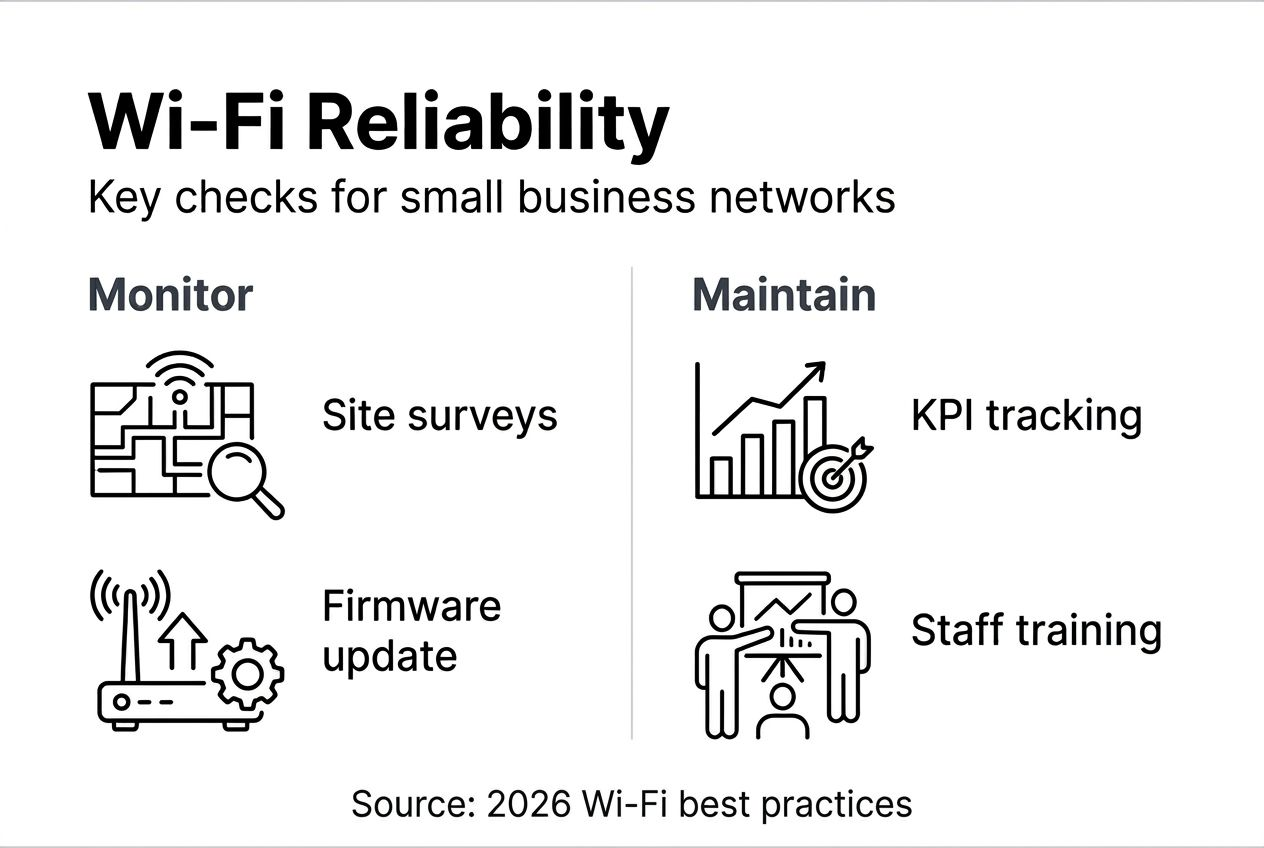
Perform periodic wireless site surveys quarterly to detect new interference sources or coverage gaps. Regular monitoring identifies potential issues before they impact business operations. Walk your facility with testing devices during different times and days to capture variations in network load and environmental interference.
Schedule firmware updates during off-peak hours to patch security vulnerabilities and access performance improvements from manufacturers. Review system logs weekly for patterns indicating failing hardware, authentication issues, or configuration problems. Catching these early prevents outages.
Train your staff to recognize and report connectivity problems immediately with specific details: exact location, time, devices affected, and symptoms experienced. Create a simple reporting form or dedicated Slack channel for these reports. Quick feedback loops help you correlate issues with environmental changes like new equipment installation or construction.
Document every network change in a centralized knowledge base. Record AP additions, channel reassignments, firmware versions, and configuration modifications with timestamps and rationale. This change log becomes invaluable when troubleshooting mysterious performance degradation or planning future expansions.
Benchmark key performance indicators monthly. Track average connection speeds, peak concurrent users, total data transferred, and uptime percentage. Compare these metrics against your baseline measurements from initial deployment to quantify ROI and identify gradual degradation trends.
Implement wireless security best practices including WPA3 encryption, MAC address filtering for critical devices, and regular password rotation. Schedule quarterly security audits to verify no rogue access points have appeared on your network.
Consider enterprise Wi-Fi optimization as an ongoing process rather than a one-time project. Technology evolves, business needs change, and environmental factors shift. Allocate time each quarter to review performance data and identify incremental improvements.
Optimize your small business Wi-Fi with expert support
Transforming your Wi-Fi from frustrating to flawless requires the right combination of equipment, expertise, and ongoing support. Sabertooth Pro delivers business internet plans specifically designed for small and medium businesses across the Mid-Atlantic region, providing the reliable backbone your optimized Wi-Fi needs.

Our IoT solutions integrate seamlessly with your Wi-Fi infrastructure, connecting everything from security cameras to environmental sensors with enterprise-grade reliability. We bring local customer support and technical expertise that generic providers can’t match. Our IT/IoT solutions encompass network design, implementation, and ongoing management, letting you focus on running your business while we ensure your connectivity stays rock solid. Schedule a consultation to discover how we can future-proof your network for 2026 and beyond.
Frequently asked questions
How do I identify Wi-Fi dead zones in my business?
Use wireless site survey tools or smartphone apps that map signal strength throughout your premises. Walk around with a device measuring signal and throughput to find weak spots, paying special attention to corners, stairwells, and areas behind thick walls. Test connectivity during peak business hours when multiple devices compete for bandwidth, as dead zones often appear under load that aren’t visible during quiet periods.
What are the benefits of using 5 GHz and 6 GHz bands for business Wi-Fi?
Higher frequency bands deliver faster speeds with less interference from neighboring networks, though they cover shorter distances than 2.4 GHz. Assigning laptops and phones to 5 GHz/6 GHz improves overall network performance by freeing up airtime for legacy IoT devices on 2.4 GHz, reducing congestion across your entire wireless infrastructure.
How often should I update or replace my Wi-Fi equipment?
Consider equipment upgrades every 3 to 5 years or when experiencing significant performance degradation that troubleshooting can’t resolve. Transitioning to Wi-Fi 7 access points can yield substantial throughput improvements and lower latency in high-density environments, justifying earlier replacement when business demands grow. Balance upgrade costs against productivity losses from poor connectivity.
What is QoS and why does it matter for my business?
Quality of Service prioritizes network traffic based on application type, ensuring time-sensitive communications like VoIP calls and video conferences get bandwidth even when someone uploads large files. Enabling QoS prevents customer-facing applications from stuttering or dropping during busy periods, maintaining professional service quality. Configure QoS rules to match your specific business-critical applications for maximum benefit.
Should I hide my business Wi-Fi network SSID for better security?
Hiding your SSID provides minimal security benefit while creating connection difficulties for legitimate users and devices. Focus instead on strong WPA3 encryption, complex passwords changed quarterly, and network segmentation separating guest and employee traffic. Implement MAC address filtering for critical IoT devices and monitor connected devices regularly for unauthorized access.