


Role of Routers in Connectivity for Business Success

Reliable connectivity keeps business moving, but remote work brings new challenges that traditional networking tools just cannot handle. For small to medium-sized organizations in the Mid-Atlantic region, finding a router that balances performance and advanced security makes the difference between smooth operations and costly outages. This article spotlights how routers support secure data transfer, efficient resource sharing, and uninterrupted teamwork—key priorities for IT leaders supporting distributed teams.
Table of Contents
- What Routers Do in Modern Networks
- Types of Routers for Business Needs
- Essential Router Features and Functions
- Routers and Security in Remote Work
- Common Router Issues and Solutions
Key Takeaways
| Point | Details |
|---|---|
| Importance of Routers | Routers are essential for directing data traffic within networks, ensuring efficient communication and connectivity for remote and office workers. |
| Router Selection | Choosing the right router, particularly business-grade models, is crucial for supporting simultaneous connections, security, and network performance. |
| Security Measures | Implementing VPNs and strong security configurations is vital for protecting sensitive data in remote work settings and mitigating potential vulnerabilities. |
| Proactive Monitoring | Regularly monitoring and diagnosing router performance can preempt issues and enhance overall network reliability and productivity. |
What Routers Do in Modern Networks
At their core, routers are the traffic directors of your network. A router forwards data packets between different computer networks, acting as the middleman that ensures information traveling between your office devices, remote workers, and the internet reaches its intended destination. When your team member in a satellite office sends an email, accesses cloud files, or joins a video call, the router decides the best path for that data to travel. Without routers, your network would be like a mail system without post offices, sorting facilities, or delivery routes. Every device would need a direct connection to every other device, which quickly becomes impossible as your organization grows.
In a remote-first environment common across the Mid-Atlantic region, routers handle several critical functions that directly impact business operations. They manage Network Address Translation (NAT), which allows multiple devices on your network to share a single public IP address, protecting your internal systems from direct internet exposure. Routers also enforce security policies, acting as your first line of defense by filtering incoming traffic and blocking unauthorized access attempts. They handle bandwidth management, ensuring that video conferences don’t consume all available bandwidth and leave other applications starving for connection speed. For teams with employees scattered across different locations, many modern routers support VPN connectivity, creating secure tunnels for remote workers to access company resources as if they were in the office. Additionally, routers read network address information in packet headers and use routing tables or policies) to make intelligent forwarding decisions, optimizing traffic flow across your infrastructure.
What makes routers particularly valuable for small to medium-sized businesses is their role in enabling efficient resource sharing. Instead of each team member needing separate internet connections, a single router with adequate capacity can serve 50 or more connected devices simultaneously, whether they’re laptops, phones, printers, or IoT sensors. This efficiency translates directly to cost savings while maintaining performance. For businesses handling sensitive customer data or financial information, routers equipped with next-generation firewall capabilities provide the security posture necessary to meet compliance requirements. Many organizations also benefit from routers purpose-built for remote workers, which prioritize stability and performance for distributed teams. The router essentially becomes the backbone connecting your entire digital operation, making the difference between a network that supports business growth and one that creates bottlenecks and frustration.
Understanding what happens inside your router helps explain why router selection matters for business success. The device constantly performs multiple tasks simultaneously, evaluating millions of packets per second and making split-second decisions about where each one should go. For businesses in competitive industries where every second of downtime translates to lost revenue, having a reliable router with redundancy and failover capabilities isn’t luxury, it’s necessity.
Pro tip: Invest in routers with built-in monitoring and diagnostics capabilities so you can track network performance metrics and identify problems before they impact your team’s productivity.
Types of Routers for Business Needs
Not all routers are created equal, and choosing the wrong type can undermine your entire network strategy. The router you deploy depends heavily on your business size, operational complexity, and growth trajectory. Understanding the different categories helps you make an informed decision that aligns with your actual requirements rather than settling for whatever the office supply store has in stock.

The most fundamental distinction exists between consumer routers and business routers. A standard broadband router might handle basic connectivity for a small team, but business routers differ significantly in how they approach performance, scalability, and security. Business routers are engineered to support dozens of simultaneous connections without degradation, include advanced security features like next-generation firewalls and intrusion detection, and offer Quality of Service (QoS) capabilities that prioritize critical business traffic. They support Virtual LANs (VLANs) for network segmentation, dual-WAN configurations for automatic failover when your primary connection drops, and remote management tools so your IT team can monitor and troubleshoot from anywhere. Consumer routers, by contrast, prioritize simplicity and cost, often combining modem and router functions in a single device. For a distributed team across the Mid-Atlantic region relying on consistent connectivity, business routers are not optional—they are foundational infrastructure.
Here is a quick comparison of consumer vs. business routers for workplace environments:
| Aspect | Consumer Router | Business Router |
|---|---|---|
| Connection Handling | Limited simultaneous devices | Dozens of simultaneous devices |
| Security Features | Basic firewall, simple NAT | Advanced firewall, threat protection |
| Management Tools | Local, basic settings | Remote, granular administration |
| Redundancy & Uptime | Minimal failover support | Dual-WAN, robust failover |
| Scalability | Suited for small teams | Grows with business needs |
Within the business router category, you will encounter several types tailored for different scenarios. Wireless routers emphasize cable-free connectivity and often feature dual-band support, allowing devices to connect on either the 2.4 GHz band for range or the 5 GHz band for speed. Many modern wireless routers support mesh networking, where multiple units work together to blanket larger office spaces with reliable signal. Edge routers manage traffic at network boundaries, controlling data flow between your internal subnets and external networks like the Internet. For organizations with multiple office locations or hybrid work setups, edge routers become critical for managing secure connections between sites. Broadband routers provide versatile connectivity for small to medium-sized operations, supporting both wired connections for stationary devices like servers and printers, and wireless access for mobile devices. When evaluating LTE routers for business applications, you gain the added benefit of cellular backup connectivity, ensuring your network remains operational even if your fixed broadband connection fails. This redundancy becomes invaluable when downtime directly impacts revenue.
Your specific business context determines which router type makes sense. A legal firm with 15 employees in one location has different needs than a logistics company managing a distributed fleet across multiple states. A healthcare provider handling patient data requires robust security features and compliance support, while a creative agency might prioritize bandwidth for large file transfers. The key is matching router capability to your actual operational requirements rather than over-specifying and wasting budget or under-specifying and creating a bottleneck that constrains growth. Most small to medium-sized businesses benefit from business-grade wireless routers with VPN capabilities and QoS management. As your organization expands, you may add edge routers at remote locations or invest in more specialized equipment for particular use cases.
Pro tip: When evaluating routers, request specifications on maximum concurrent device connections and actual throughput under load—marketing claims often exceed real-world performance, so always ask vendors for independent test results relevant to your industry.
Essential Router Features and Functions
A router is only as valuable as the features it includes. Beyond basic packet forwarding, modern business routers need a comprehensive set of capabilities to support remote work, protect sensitive data, and adapt to changing network demands. Understanding which features matter most helps you avoid paying for unnecessary bells and whistles while ensuring you get the tools your team actually needs.
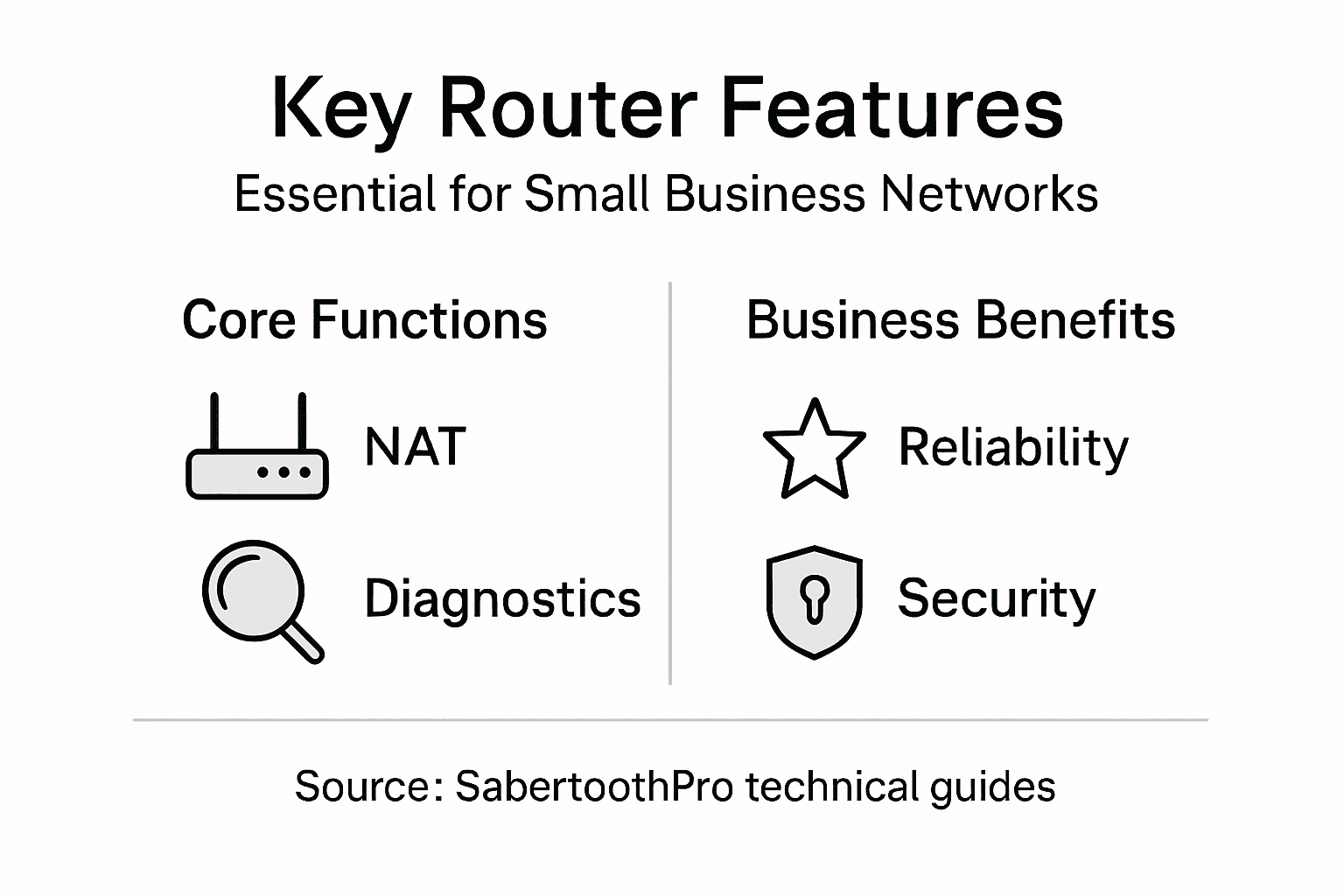
Start with Network Address Translation (NAT), which enables multiple devices on your internal network to share a single public IP address. This fundamental feature provides immediate security benefits by hiding your internal network structure from the internet. NAT also conserves valuable public IP addresses, reducing costs while maintaining connectivity for all your devices. Beyond NAT, routers need robust security functions including firewalls that inspect incoming traffic and block unauthorized access attempts. Many business routers now include next-generation firewall capabilities that go beyond basic packet filtering, using deep packet inspection to identify and prevent sophisticated threats. VPN connectivity transforms your router into a secure gateway, allowing remote workers to connect to company resources through encrypted tunnels that protect data traveling over public networks. For businesses handling customer information or financial data, this capability moves from nice-to-have to absolutely critical. Quality of Service (QoS) management lets you prioritize traffic so that video conferences and VoIP calls maintain quality even when someone is downloading large files. Without QoS, your bandwidth becomes a free-for-all where bandwidth hogs degrade everyone’s experience.
Diagnostics and monitoring capabilities help you stay ahead of problems rather than reacting after your network fails. Modern routers provide real-time visibility into network performance, device connections, and traffic patterns. When your wireless signal drops or a remote worker loses connectivity, these diagnostic tools help your IT team pinpoint the cause quickly rather than spending hours troubleshooting blindly. Robust authentication and firmware update mechanisms ensure your router remains secure against evolving threats, with regular patches protecting against newly discovered vulnerabilities. Your router should support strong password policies, two-factor authentication for administrative access, and automatic firmware updates that keep security patches deployed without manual intervention. Network isolation features like Virtual LANs (VLANs) allow you to segment your network, keeping guest devices separate from servers storing proprietary information. This segmentation limits damage if a compromised device gains access to your network.
The routing protocols your router supports determine how intelligently it directs traffic. Industry standard protocols like OSPF (Open Shortest Path First) and BGP (Border Gateway Protocol) enable your router to dynamically adjust traffic paths when network conditions change. This means if your primary internet connection experiences congestion, the router automatically reroutes traffic through alternate paths without manual intervention. Bandwidth management goes beyond QoS by allowing you to set absolute limits on how much bandwidth specific applications or users can consume. A single employee running cloud backup software no longer monopolizes the connection that everyone else depends on. For distributed teams across the Mid-Atlantic region, routers with advanced wireless capabilities including dual-band support and mesh networking create coverage that reaches every corner of your office space.
The following table summarizes essential router features and how they impact small to medium-sized businesses:
| Feature | What It Does | Business Impact |
|---|---|---|
| NAT | Hides devices, shares public IP | Enhances security, reduces costs |
| VPN Support | Creates secure, encrypted tunnels | Enables safe remote access |
| QoS Management | Prioritizes important network traffic | Ensures call quality, prevents slowdowns |
| Real-Time Monitoring | Tracks performance, identifies issues | Rapid troubleshooting, less downtime |
| Firmware Updates | Keeps device secure from threats | Maintains compliance and protection |
Pro tip: Prioritize routers with built-in redundancy features like dual-WAN support and automatic failover, ensuring your business stays online even when your primary internet connection fails unexpectedly.
Routers and Security in Remote Work
Your router is the gateway between your team and the internet, which makes it ground zero for security threats. When employees work from home, they no longer benefit from the controlled network environment of your office. Instead, data travels through home routers that often lack proper security configurations, creating vulnerabilities that attackers actively exploit. The shift to remote work has fundamentally changed how organizations need to think about network security, and routers sit at the center of that transformation.
Home network routers, the devices most remote workers rely on daily, frequently contain significant security gaps. Many routers ship with default passwords that users never change, making them trivially easy for attackers to access and reconfigure. Firmware vulnerabilities remain unpatched for months or years because users never update their router software. Home network routers face significant cybersecurity risks from insecure firmware and default configurations that create entry points for data breaches. An attacker who gains control of your employee’s home router can intercept all network traffic passing through it, capturing passwords, emails, and confidential business information. They can inject malicious content into web pages or redirect traffic to fake login screens designed to steal credentials. For organizations with distributed teams across the Mid-Atlantic region, this means every remote worker represents a potential weak link in your security posture. The financial services advisor working from a home office in Pennsylvania, the logistics coordinator logging in from a Maryland apartment, the healthcare consultant connecting from Virginia, all face these same risks if their routers lack proper security hardening.
Addressing these vulnerabilities requires a multi-layered approach starting with the router itself. VPNs create secure encrypted tunnels that protect data traveling over untrusted networks, effectively bypassing a compromised home router. When your remote workers connect through a corporate VPN before accessing company resources, an attacker who controls their router cannot see or intercept that encrypted traffic. Beyond VPN deployment, organizations must educate remote workers about keeping their router firmware updated, changing default passwords to strong unique credentials, and disabling remote management features that attackers could exploit. Your IT team should verify that remote workers are using business-grade routers rather than consumer models designed for households. Business routers include built-in security features like network segmentation that keeps guest traffic separate from devices accessing company systems. They support centralized management, allowing your IT team to monitor and update router security settings without relying on employees to remember technical steps.
The reality of remote work security is that you cannot fully trust the network infrastructure on your employees’ ends. This is why organizations must deploy secure remote access technologies that operate independently of home router security. Zero-trust frameworks assume every connection is potentially compromised and require continuous verification rather than trusting a device once it connects. Multi-factor authentication ensures that even if an attacker steals credentials through a router compromise, they still cannot access accounts without a second verification factor. Regular security training helps employees recognize phishing attempts and social engineering tactics that often target remote workers whose home networks lack the monitoring systems present in corporate offices. For team members handling customer data or proprietary information, consider requiring connection through company-managed devices with approved routers and centralized security controls rather than their personal equipment.
Pro tip: Require all remote workers to use company-provided VPN access before reaching internal resources, and implement multi-factor authentication on all accounts accessing sensitive data, creating redundant security layers that compensate for weaknesses in home router configurations.
Common Router Issues and Solutions
Router problems can feel mysterious when you’re staring at a blinking light wondering why your team suddenly lost internet access. Most network issues, however, stem from a surprisingly short list of common culprits that you can diagnose and fix without calling a technician. Understanding what causes these problems and how to resolve them keeps your business running smoothly and saves significant downtime costs.
Connectivity loss ranks as the most frequent complaint. Your team reports no internet, or the connection drops intermittently throughout the day. Start by verifying the basics: is your internet service actually active? Check with your Internet Service Provider to confirm they have not suspended service or experienced an outage in your area. Next, physically inspect cable connections between your modem and router, and between the router and power outlet. A loose cable causes connectivity problems more often than you would expect. Restarting your router by unplugging both devices offers surprisingly effective relief for many issues. Power down your modem first, wait 30 seconds, then power it back on. After the modem reconnects to the internet, power down your router, wait another 30 seconds, and restart it. This sequence gives devices time to clear their network state and reconnect properly. If connectivity still fails, check your Wi-Fi settings to ensure the network name is broadcasting and your password is correct. Sometimes a misconfigured setting locks out all devices.
Slow speeds present a different challenge. Your internet works, but video calls stutter and file transfers crawl. Begin by checking whether this affects all devices or only certain ones. If only one device runs slow while others perform normally, the problem lies with that device, not your router. Update its operating system and networking drivers. If all devices experience slowness simultaneously, your router may be overloaded. Verify your internet plan speed by running a speed test and comparing results to your subscribed speed. If you’re getting what you paid for, the slowness originates elsewhere. Next, check how many devices are currently connected. A router serving 30 simultaneous devices while attempting to handle video conferencing and cloud uploads strains even business-grade equipment. Look for bandwidth hogs like devices running automatic backups. Disable background updates on non-critical devices. Common router issues like slow speeds often stem from configuration errors that firmware updates can resolve. Navigate to your router’s admin panel and check whether a firmware update is available. Outdated firmware contains performance bugs that manufacturers have already fixed.
Firmware problems and configuration errors require different approaches. Firmware bugs appear as random disconnections, devices unable to connect even with correct passwords, or unexpected behavior. Update your router firmware through the admin panel. Most business routers can schedule updates during off-hours to minimize disruption. Configuration errors happen when settings get accidentally changed or when a router defaults to suboptimal parameters. Before performing a factory reset, which erases all custom settings and requires complete reconfiguration, try documenting your current settings and methodically reviewing each one. Look for conflicting QoS rules, disabled bands on your wireless, or security settings blocking legitimate traffic. If troubleshooting fails and you need to reset, document every setting first so you can rebuild your configuration. For routers supporting automatic backups, restore from a known good configuration rather than starting from factory defaults.
When to replace versus repair matters financially. If your router is over four years old, occasional issues might signal declining hardware reliability. Compare replacement costs against the expense of your team’s downtime. For new routers having persistent problems despite troubleshooting, manufacturer defects may be responsible. Request warranty replacement rather than spending endless hours troubleshooting. For remote teams across the Mid-Atlantic, redundancy becomes valuable insurance. Consider deploying a backup router that automatically takes over when your primary fails, ensuring business continuity without manual intervention.
Pro tip: Schedule monthly router reboots during low-traffic periods and maintain detailed logs of any connectivity issues including dates, affected devices, and error messages, which helps identify patterns and provides evidence if you need to escalate problems to your Internet Service Provider.
Elevate Your Business Connectivity with SabertoothPro’s Advanced Router Solutions
Modern business networks demand reliable, secure, and high-performance routers that support multiple devices, VPN connectivity, and intelligent traffic management. This article highlights the critical role routers play in optimizing your network, maintaining uptime, and protecting data—challenges that every growing business faces. When slow speeds, security gaps, or device overload threaten your productivity, choosing the right router becomes a game changer.
Enhance your network with SabertoothPro’s range of business-grade solutions including the robust Titan WiFi routers designed for demanding environments. Whether you need seamless wireless coverage or dependable failover for remote teams, pairing your router with highly efficient WiFi extenders ensures smooth connectivity across every corner of your workspace.

Don’t let unreliable networking hold back your business success. Visit SabertoothPro.com today to explore cutting-edge routers and comprehensive IT solutions tailored for secure, scalable connectivity. Act now to future-proof your digital infrastructure and empower your team with hassle-free, high-speed internet that supports your growth ambitions.
Frequently Asked Questions
What functions do routers perform in a business network?
Routers direct traffic between different computer networks, ensuring that data packets reach their intended destinations, manage bandwidth, and enforce security policies to protect internal systems.
How do routers enable remote work connectivity?
Routers support VPN connectivity, allowing remote workers to access company resources securely, as if they were onsite in the office, ensuring safe data transmission over public networks.
What is the difference between consumer routers and business routers?
Consumer routers are designed for basic connectivity and simpler settings, while business routers offer advanced features like enhanced security, support for multiple simultaneous connections, and management tools tailored for larger operations.
Why is router selection important for business growth?
Selecting the right router impacts performance, security, and scalability, ensuring that the network can handle increasing demands and maintain productivity as the business grows.