


How to improve internet reliability for SMBs in 2026

When your internet goes down, your business grinds to a halt. For SMBs, network downtime costs between $137 and $427 per minute, translating to thousands in lost productivity and revenue. Building true internet reliability requires smart redundancy strategies that keep your team connected when primary connections fail. This guide walks you through proven methods to achieve seamless connectivity and protect your business from costly outages.
Table of Contents
- Understanding Network Redundancy And Its Importance
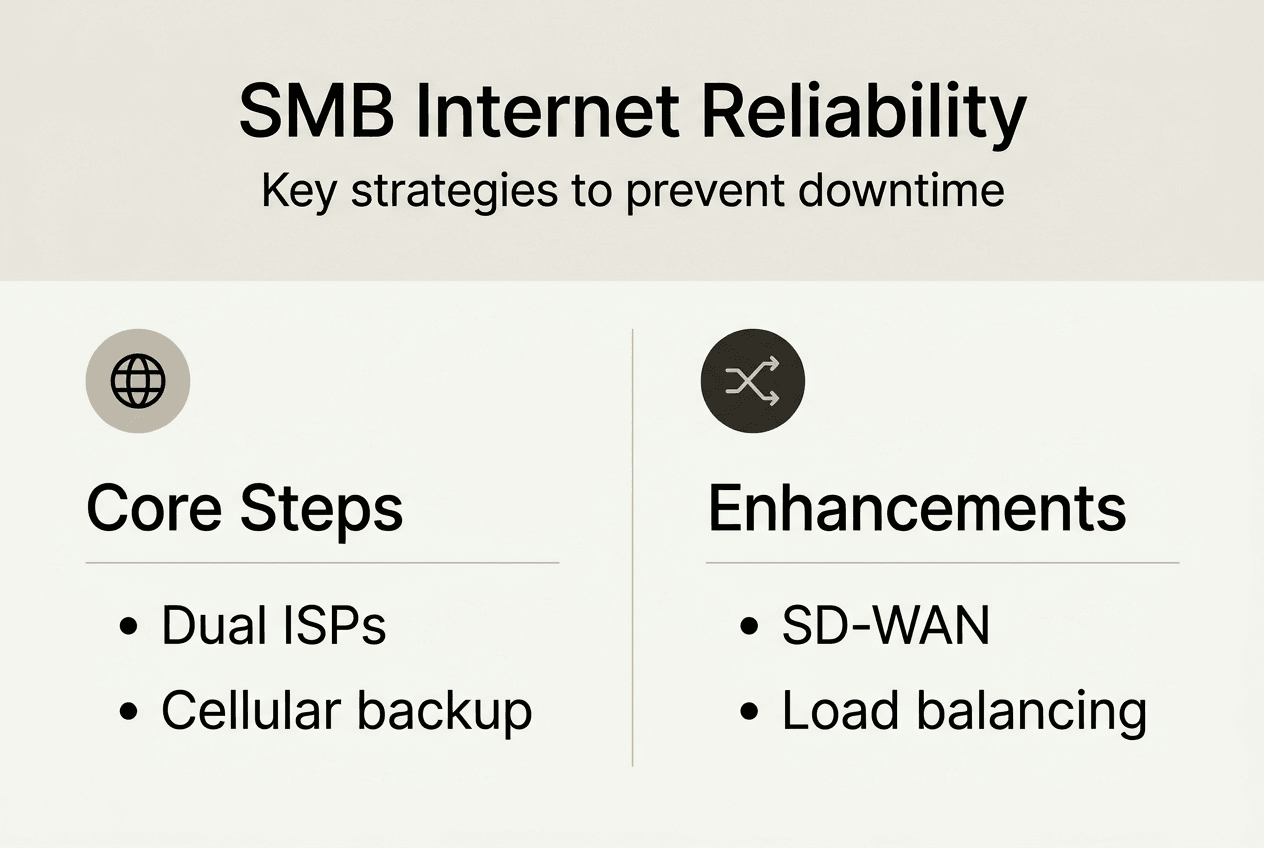
- Implementing Dual Wired Broadband And Cellular Failover
- Enhancing Resilience With Sd-Wan And Load Balancing
- Validating Your Internet Reliability Strategy
- Explore Reliable Internet Solutions For Your Smb
- Frequently Asked Questions
Key takeaways
| Point | Details |
|---|---|
| Network redundancy minimizes downtime risks | Backup connections and equipment prevent single points of failure |
| Dual broadband and cellular failover ensure continuity | Multiple ISPs and 4G/5G backup links maintain connectivity during outages |
| SD-WAN enhances flexibility and security | Software-defined networking optimizes cloud access while reducing costs |
| Regular testing validates your strategy | Monitoring and failover testing confirm your redundancy works when needed |
| Business continuity demands diverse connectivity | Multiple connection types and providers protect against infrastructure failures |
Understanding network redundancy and its importance
Network redundancy is crucial for preventing downtime and outages, ensuring business continuity through backup systems that activate when primary infrastructure fails. You’re building a safety net that catches your operations before they hit the ground.
The financial stakes are enormous. With downtime costing SMBs $137 to $427 per minute, a single four-hour outage can drain $33,000 to $102,000 from your bottom line. That’s not counting reputation damage, lost customer trust, or missed opportunities.
True redundancy means having active standby equipment and backup connections ready to engage automatically. It’s not enough to have spare routers sitting in a closet. You need systems configured to detect failures and switch seamlessly without human intervention.
“When your primary internet connection fails, redundancy ensures your team stays productive, your transactions keep processing, and your customers remain connected to your services.”
Network redundancy comes in several flavors:
- Device redundancy: Duplicate routers, switches, and firewalls
- Path redundancy: Multiple physical routes for data traffic
- ISP failover: Backup connections from different providers
- Power redundancy: UPS systems and backup generators
- Geographic redundancy: Distributed infrastructure across locations
Seamless failover is the goal. Your users shouldn’t notice when the system switches from primary to backup connections. Video calls should continue, transactions should process, and remote workers should maintain access without interruption. Modern failover systems detect outages within seconds and activate backup links faster than most users can refresh their browsers.
Consider network redundancy importance as insurance you hope never to use but can’t afford to skip. The investment in redundant infrastructure pays for itself the first time it prevents a costly outage.
Implementing dual wired broadband and cellular failover
Dual wired broadband connects your business to two independent ISPs through separate physical entry points, eliminating single points of failure at the provider and infrastructure level. When your primary cable connection drops, traffic instantly routes through your secondary fiber link.
Dual wired broadband offers full-speed failover at $100-$300 monthly, delivering strong ROI versus downtime costs. You’re paying an extra few hundred dollars per month to avoid thousands in lost productivity.
Cellular failover takes a different approach. 4G LTE cellular failover provides fast, affordable backup with 5-second switchover, maintaining connectivity when both wired connections fail or during infrastructure disasters affecting an entire area.
| Method | Monthly Cost | Failover Speed | Bandwidth | Best For |
|---|---|---|---|---|
| Dual wired broadband | $100-$300 | Instant | Full speed both links | High-traffic offices |
| 4G LTE failover | $30-$80 | 5 seconds | 25-50 Mbps | Cost-conscious SMBs |
| 5G failover | $50-$120 | 3-5 seconds | 100-300 Mbps | Bandwidth-critical operations |
| Hybrid (wired + cellular) | $130-$380 | Layered | Variable | Maximum reliability |
Dual broadband advantages:
- Full-speed connectivity on both primary and backup links
- No bandwidth reduction during failover
- Supports load balancing for increased total throughput
- Reliable during localized cellular network congestion
Cellular failover advantages:
- Lower monthly costs than second wired connection | Independent infrastructure from cable/fiber networks
- Rapid deployment without trenching or construction
- Mobile connectivity for temporary locations or events
Pro Tip: Ensure true ISP diversity by choosing providers using different underlying infrastructure. Two cable ISPs sharing the same utility poles offer limited redundancy compared to cable plus fiber from separate conduit systems.
Setup requires a multi-WAN router or SD-WAN appliance capable of monitoring connection health and switching automatically. Configure health checks to ping reliable external servers every few seconds. When the primary link fails three consecutive checks, the system activates your backup connection and reroutes all traffic.
For maximum protection, combine both approaches. Use business broadband mid atlantic solutions for primary and secondary wired connections, then add lte routers for business as a tertiary backup. This three-tier approach handles provider outages, physical infrastructure damage, and regional network failures.
Consider internet redundancy solutions that match your risk tolerance and budget. A retail location processing credit card transactions needs more robust redundancy than a small consulting office with flexible work schedules.
Enhancing resilience with SD-WAN and load balancing
SD-WAN offers low-cost broadband/LTE connections, centralized orchestration, and integrated security for distributed enterprises, transforming how SMBs approach network reliability. Instead of relying on expensive MPLS circuits, you’re leveraging software intelligence to optimize multiple internet connections simultaneously.
SD-WAN creates an overlay network across your internet connections, making intelligent routing decisions in real time. It monitors application performance, link quality, and available bandwidth to direct traffic through the best available path. When one link degrades, SD-WAN automatically shifts traffic without dropping sessions.

Load balancing complements failover by actively using multiple connections simultaneously rather than keeping backups idle. Your primary traffic might flow through your cable connection while VoIP calls route via fiber and large file transfers use LTE. This approach maximizes your total bandwidth investment and distributes risk across multiple links.
Key differences:
- Failover: Backup link stays inactive until primary fails
- Load balancing: All links actively carry traffic based on algorithms
- SD-WAN: Intelligent routing based on application needs and link performance
SD-WAN security features protect your distributed network:
- End-to-end encryption across all connections
- Next-gen firewall integration at every location
- Centralized security policy enforcement
- Zero-trust network access controls
- Automated threat response and isolation
These capabilities matter for SMBs with remote workers, multiple offices, or cloud-first operations. Your accounting software accesses QuickBooks Online through an encrypted tunnel. Your VoIP system prioritizes voice traffic over your most stable link. Your backup systems use your highest-bandwidth connection during off hours.
SD-WAN delivers measurable benefits:
- Cost savings: Reduce or eliminate expensive MPLS contracts
- Performance: Direct cloud access without backhauling through headquarters
- Flexibility: Add new locations in days instead of weeks
- Visibility: Real-time monitoring of all connections and applications
- Agility: Adjust policies and routing from central management console
Pro Tip: Combine load balancing with failover for maximum uptime. Configure your SD-WAN to load balance during normal operations, then automatically fail over remaining traffic when any link degrades below acceptable thresholds.
Cloud-first SMBs benefit most from SD-WAN because it optimizes paths to SaaS applications like Microsoft 365, Salesforce, and Zoom. Traditional routing backhauls all traffic through your office, adding latency and creating bottlenecks. SD-WAN sends traffic directly to cloud services from wherever your users connect.
Implementation starts with a business internet plan checklist identifying your current connections, bandwidth needs, and critical applications. Then evaluate types of internet connections for smb it available at each location to build diverse connectivity.
Most SD-WAN vendors offer cloud-managed platforms where you configure policies once and push them to all locations. You’re setting application priorities, defining failover rules, and establishing security policies from a single dashboard. When you add a new office, the appliance downloads its configuration automatically.
Explore sd-wan benefits to understand how modern networking approaches solve traditional reliability challenges while reducing costs and complexity.
Validating your internet reliability strategy
Testing reveals whether your redundancy investments actually work when you need them most. A well-installed failover system protects revenue and reputation, but only if you’ve verified it functions correctly under real-world conditions.
Systematic testing prevents surprises during actual outages. Schedule quarterly tests during maintenance windows to simulate failures and observe system behavior. Disconnect your primary connection physically and monitor how quickly backup links activate, whether applications maintain sessions, and if users experience disruptions.
Key metrics to track:
- Failover time: Seconds from primary loss to backup activation
- Uptime percentage: Total availability across all connections
- Latency: Round-trip time during normal and failover operation
- Throughput: Available bandwidth on each connection
- Packet loss: Percentage of data requiring retransmission
- Jitter: Variation in latency affecting voice and video quality
| Metric | Target | Acceptable | Poor |
|---|---|---|---|
| Failover time | Under 5 seconds | 5-15 seconds | Over 15 seconds |
| Uptime | 99.9% or higher | 99.5-99.9% | Below 99.5% |
| Latency | Under 30ms | 30-80ms | Over 80ms |
| Packet loss | 0% | Under 1% | Over 1% |
Follow this validation process:
- Define success metrics based on your business requirements and application needs
- Test failover by disconnecting primary links during scheduled maintenance windows
- Monitor continuously using network management tools that alert on degradation
- Update your plan based on test results and evolving business needs
Monitoring tools provide visibility into connection health before failures occur. Configure alerts when latency exceeds thresholds, packet loss rises above acceptable levels, or backup links show signs of degradation. Proactive monitoring lets you address issues before they impact users.
Common mistakes to avoid:
- Testing only during setup, never verifying ongoing functionality
- Assuming failover works without simulating actual failure conditions
- Neglecting to test application behavior during failover events
- Failing to document failover performance for future comparison
- Skipping backup link health checks between failover events
Your backup connection might develop problems while sitting idle. Monthly health checks confirm backup links remain functional and ready to activate. These checks should include speed tests, latency measurements, and connectivity verification to critical services.
Maintain business continuity documentation outlining your redundancy architecture, failover procedures, vendor contacts, and escalation paths. When an outage occurs, your team needs clear instructions for monitoring failover status and contacting providers if backup systems fail.
Troubleshooting tips:
- Verify routing tables update correctly during failover
- Check firewall rules allow traffic through backup connections
- Confirm DNS resolution works on all network paths
- Test VPN connectivity over each link independently
- Validate QoS policies apply correctly after failover
Review your internet plan checklist annually to ensure your redundancy strategy still matches business needs. Growth, new applications, and changing work patterns may require adjusting your approach.
Some SMBs discover their backup connection lacks sufficient bandwidth for full operations during extended outages. Others find certain applications don’t handle failover gracefully without session persistence configuration. Regular testing uncovers these issues before they become critical.
Document everything. Record failover times, note any issues encountered, track which applications maintained connectivity, and identify improvements for next time. This data helps you refine your strategy and justify redundancy investments to stakeholders.
Consider internet failover installation best practices when deploying new redundancy systems or upgrading existing infrastructure. Professional installation ensures proper configuration from day one.
Explore reliable internet solutions for your SMB
Building robust internet redundancy requires diverse connectivity options tailored to your operational needs. Sabertooth Pro specializes in wireless and wired solutions that keep Mid-Atlantic SMBs connected when traditional infrastructure fails.

Our wireless internet provider services deliver 4G LTE and 5G connectivity perfect for failover scenarios or primary connections in areas lacking fiber infrastructure. You’re getting carrier-grade reliability with flexible deployment.
Complement your connectivity strategy with iot solutions that monitor network health, manage distributed devices, and provide visibility across your infrastructure. Real-time monitoring helps you address issues before they impact operations.
Explore our complete business internet portfolio designed specifically for SMB requirements. We understand the challenges Mid-Atlantic businesses face and deliver solutions that match your budget and reliability needs.
Pro Tip: Partnering with a provider offering diverse connectivity options simplifies redundancy implementation by consolidating management, support, and billing under one relationship.
Frequently asked questions
What is the difference between failover and load balancing?
Failover switches traffic to backup connections only when the primary link fails, keeping backup capacity in reserve. Load balancing actively distributes traffic across multiple connections simultaneously, maximizing total bandwidth utilization. Failover prioritizes reliability through redundancy, while load balancing optimizes performance and efficiency by using all available links.
How quickly does 4G LTE failover activate during an outage?
4G LTE failover typically activates within 5 seconds after detecting primary connection loss. Modern routers monitor link health continuously and switch automatically when the primary fails health checks. Fast switchover minimizes service disruption, keeping most applications connected without users noticing the transition.
What makes SD-WAN better suited than MPLS for modern SMBs?
SD-WAN provides direct cloud access, significant cost savings, and centralized security through software intelligence over commodity internet connections. MPLS requires backhauling traffic through hub locations, costs significantly more, and lacks flexibility for cloud-first operations. SD-WAN delivers better performance for SaaS applications while reducing monthly connectivity expenses by 30-60% compared to MPLS.
How can I test if my internet failover system is working correctly?
Schedule quarterly tests by physically disconnecting your primary connection during maintenance windows and observing automatic failover behavior. Monitor failover activation time, verify applications maintain connectivity, check that users experience minimal disruption, and confirm backup link provides adequate performance. Document results and compare against your target metrics to validate system readiness.